AWS Certifications and Mindset
Certifications
AWS offers a number of certifications at a foundation level, an associate level, specialities and a professional level. At the associate level there are Architect, SysOps and Developer.
In the test preparation for the Architect I found quite in-depth questions on the other subjects and overlap between certificates. So rather than take one certificate at a time I practiced for all associate level certificates as well as Advanced Networking and Security specialities, before taking the Architect exam. I relied on the many books providing practice multiple choice questions.
On the day of the test, I spent two hours cycling to the test center only to be told they had just closed it due to COVID restrictions, at least I got five hours exercise. When I did the Architect test some six week later I was a bit over prepared and got 93%.
A motivation for doing Cloud certifications is because there is so much Cloud that one could never realistically hope to cover everything in one's day job. Even with the certifications I still come across useful AWS products that are new or I have never heard of. For finding out what is going on in the wider AWS world and getting into shape, I got a lot out of the AWS Podcasts while working on a cross-trainer. These podcasts have a nice atmosphere, very easy to listen to, a little like listening to BBC Radio 2.
Mindset
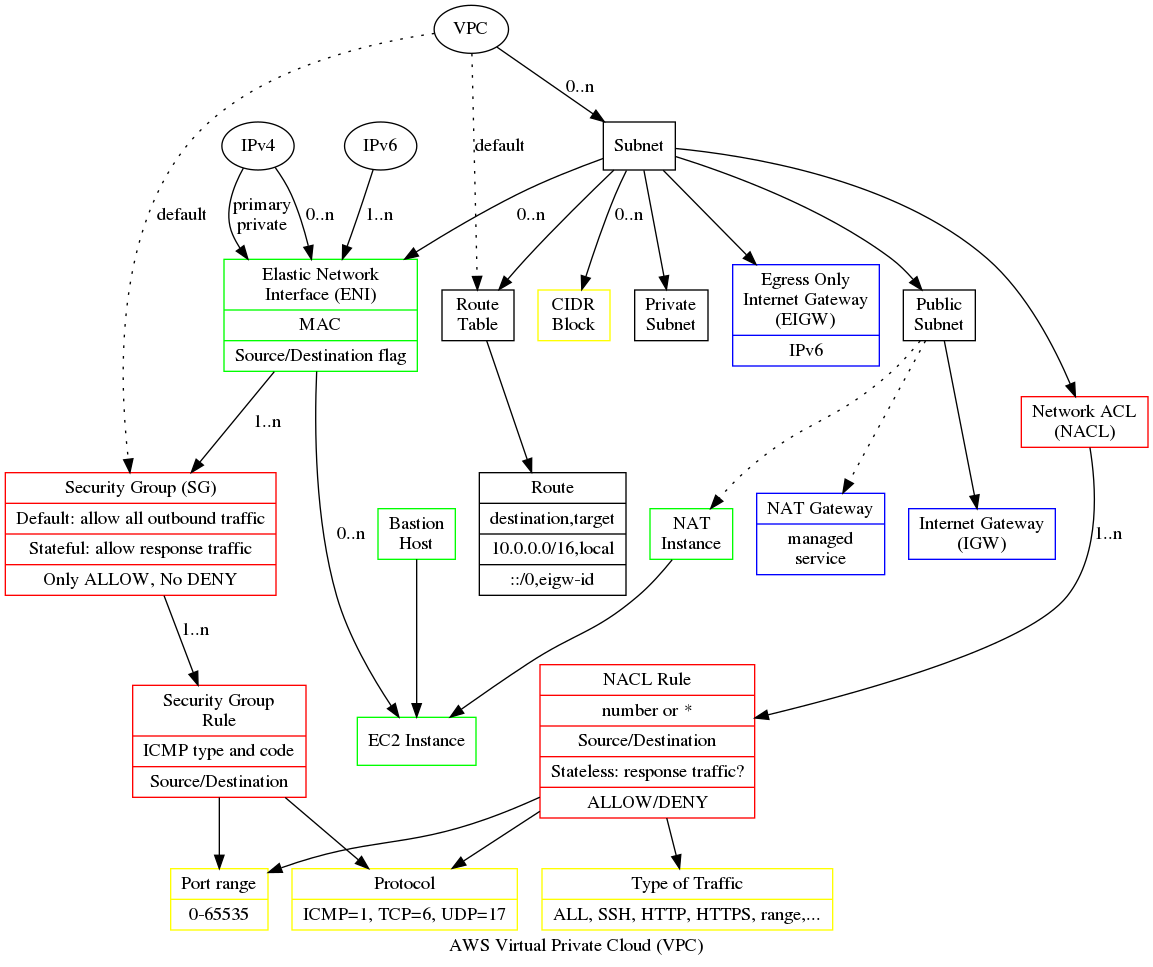
One of first my experiences with Azure was noticing that I could look at our development environment on my phone. Coming from a native mindset I unconsciously assumed a firewall that would protect the whole of the internal organization network. The development environment is not inside the organization's network, it's a Cloud provided network connected directly to the Internet, a virtual network (VNet) in Azure or a virtual private cloud (VPC) in AWS.
There is also no network administrator to turn to but having a distant background in networking management so it was good to use old skills and liberating to do it with a mouse rather than physical hardware. There is also or system administrator to help or hinder so even though I came from a time when the command line was the norm, I have written more bash in the Cloud than in previous decades.
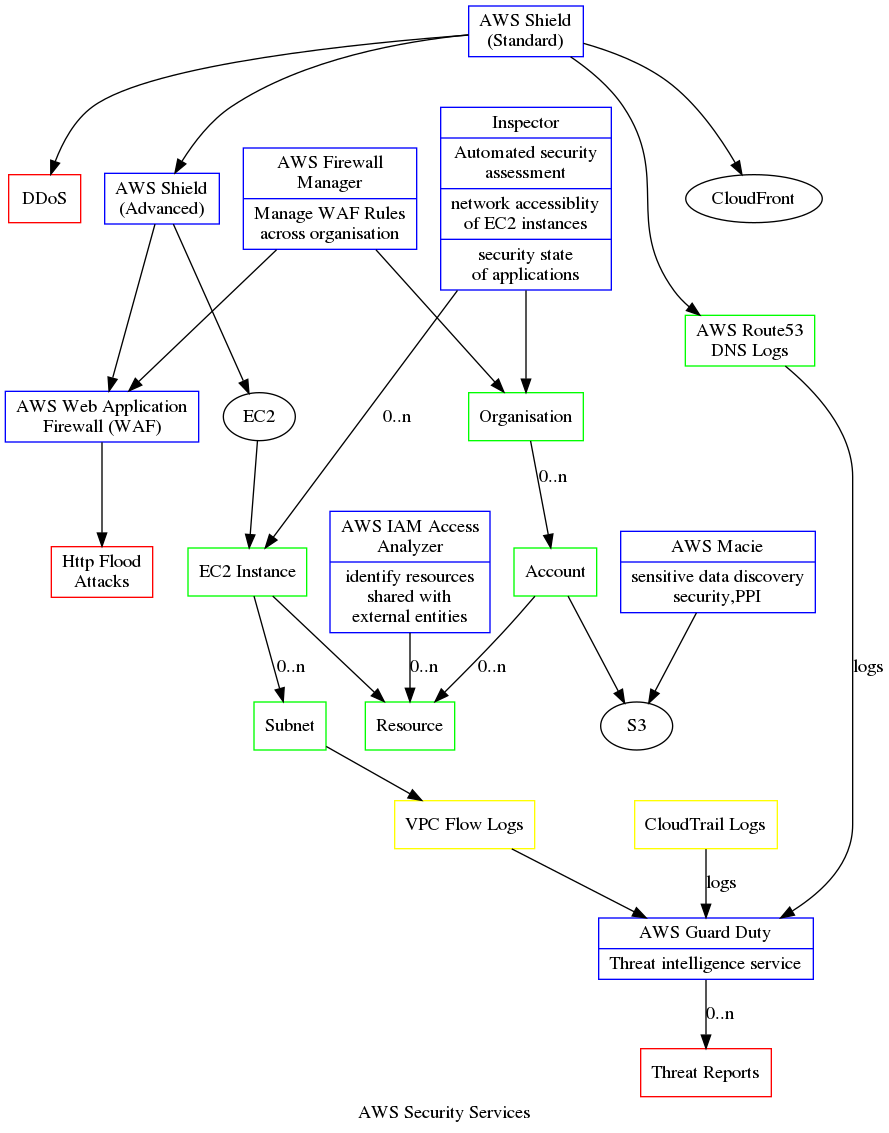
The Cloud gives you pretty much 100% availability. Auto-scaling virtual machines means there is always something running, even with a DDoS. One can place instances in physically separated Availability Zones (AZ) or even regions, so a disaster in one place does not bring down the whole system.
A price of auto-scaling is no shared memory, which impacts caching and consistency. If you try to update an object on one virtual machine then the other won't know anything about that update and unless action is taken data stored on disk is typically lost when a virtual machine fails or restarts. This leads to the notion of stateless servers, which just compute and get data either from a distributed cache, database or shared file-system. (One can also use sticky sessions in some cases.)
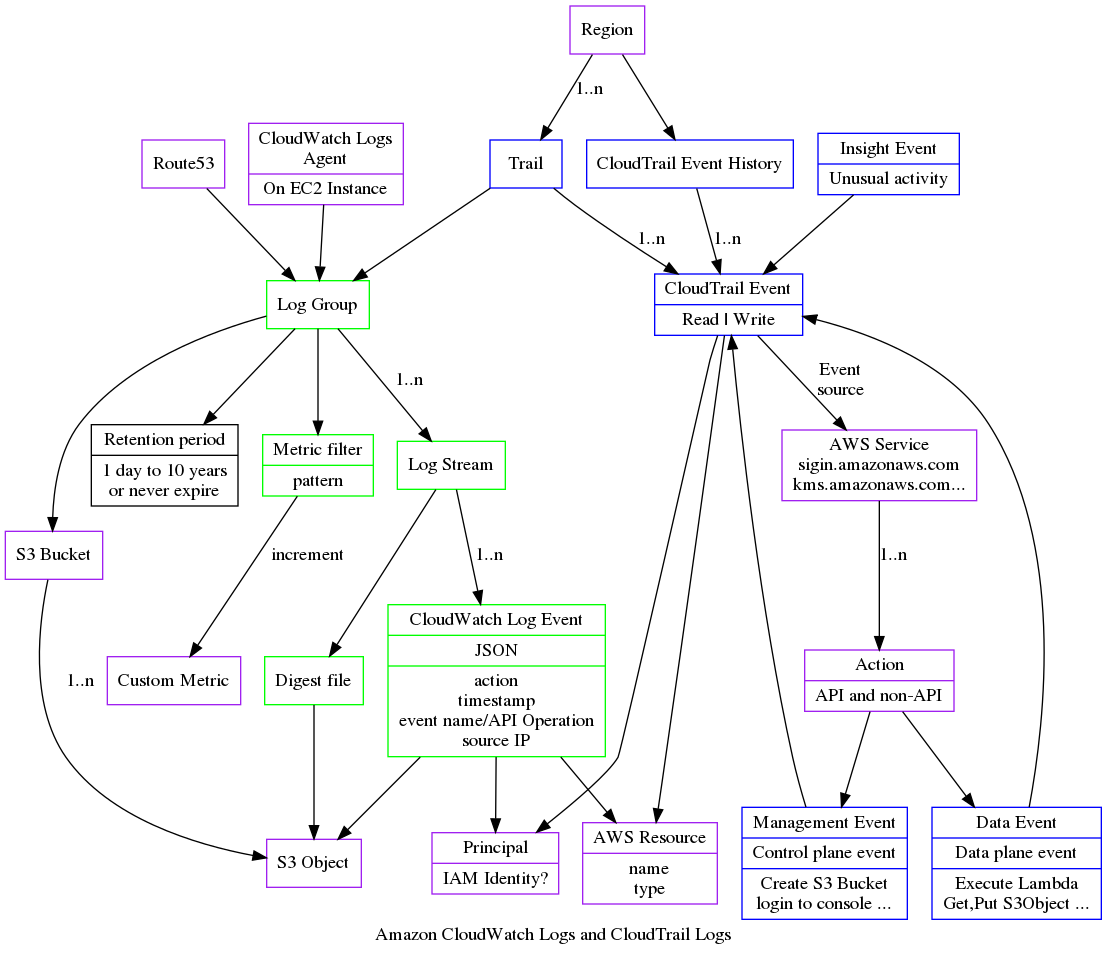
My native mindset when a machine goes wrong is to log in and look at the log file and see what went wrong. With stateless servers, when a machine dies it is gone so you can't log in. While it is practical to monitor one log file on a server it is not practical to monitor 100 virtual machines. So logs from all virtual machines are sent to a central service for example AWS CloudWatch Logs or an Elasticsearch (ELK) stack. Since each incoming request from clients may produce multiple log messages, the volume of log messages can be greater than the volume of client requests and so the load on the logging system can be more than the load on the application. When one rolls out a new release one can double the load and if a developer inserts a careless logging in the wrong place the load can go up again dramatically. So logging becomes a major engineering challenge.
Tyranny of choice
The Cloud provides a number of ways to do the same thing. One can run an application on one or more EC2 instances as a conventional Linux process, which gives you control over everything. One can use AWS Elastic Bean Stalk which is meant as an easier to use layer above EC2 hiding some of the complexity. One can run the application as a set of Lambda functions or serverless computing, which saves a great deal of effort setting up and maintaining infrastructure. One can run a the application as a set of docker containers, using anyone of raw EC2 instances, AWS Elastic Container Service, AWS Fargate or Kubernates.
One can run a database on an EC2 instance with the data stored on an EBS drive. One can use a managed service like AWS RDS to manage the database instance and store for you. One can choose between the conventional relational databases: Postgres, Sybase, Oracle, MS SQL Server, or one can use a column based data warehouse like AWS RedShift. One can use distributed no-SQL database like Azure CosmosDB or AWS DynamoDB. One can even use the Redis distributed case to persist data. For many problem AWS S3 or Azure Blob storage is sufficient and can be optimized using AWS CloudFront. Each has it's own use cases the trade offs.
Database hardware has changed since the noughties. In the past most data was kept on a hard drive with an in-memory cache, nowadays most databases fit entirely into high speed memory. Seek times on hard drives are very slow compared to solid state disks.
In choosing a data store I feel the important to understand the CAP Theorem. If you have a really high number of transactions then it becomes impossible to use a conventional RDBMS with pessimistic transactions, because the volume is too high to keep everything consistent. At that point one is forced to look into optimistic concurrency. The point I would like to make here is that modern No-SQL databases are not necessarily intrinsically better than older RDBMS, they are just there for a particular use case and if you don't have that use case you are likely better of with an RDBMS.
Examples of asynchronous messaging systems include Amazon Simple Queue Service (SQS), Kafka, Amazon Kinesis. Kinesis is actually very similar to Kafka in design and is suited to huge volumes of data that can be processed in parallel. They sit, in my mind, on the spectrum between batch systems and messaging systems, in that consumers can process a window of messages which is like a small batch or a collection of individual messages; this is more efficient that processing one message at a time but not as responsive. So if you just need point to point messaging SQS is a lot simpler.
Summary
In summary, as a developer coming to the Cloud, think of Security, System and network Administration, get used to bash. Be aware of the CAP Theorem, you can have 100% availability but not consistency. Make sure you really understand consistency, distributed transactions, pessimistic transactions and optimistic transactions. For operations logging and dashboards. There is so much choice in the Cloud one can very easily over engineer.